To participate in the plan you will need an AlertPay account. If you have one that's great. If not, open an account by clicking on the banner below. It's FREE

We will walk you through the Sign Up procedure. It's real easy and only takes a few moments
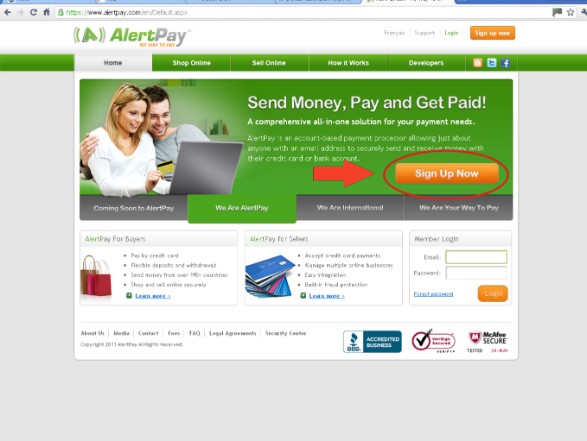
Keep this page open so you can refer to it during the process. Once you click on the banner above you will come to a page that looks like the one below. Don't worry, this will open in a new window so you can go from one to another.
You will see the Sign Up button as indicated. Click on it.
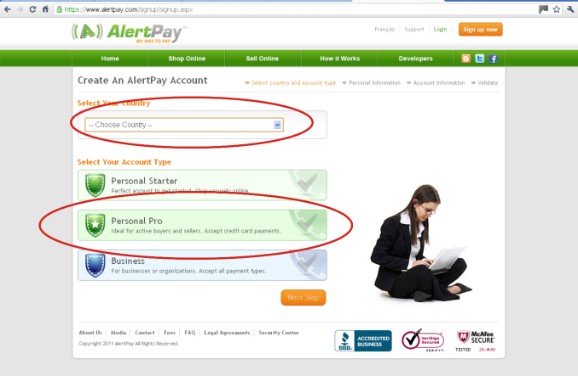
Now you will be on this page. You will have to select your country in the drop down menu and then select Personal Pro and click Next Step (the orange button bottom right).
This is the best size account for this business. A business account requires all kinds of documents to be sent to AlertPay in order for them to verify the account.
A Personal Pro account is easy to have verified by using your Credit Card. We will explain how to do this this later on.
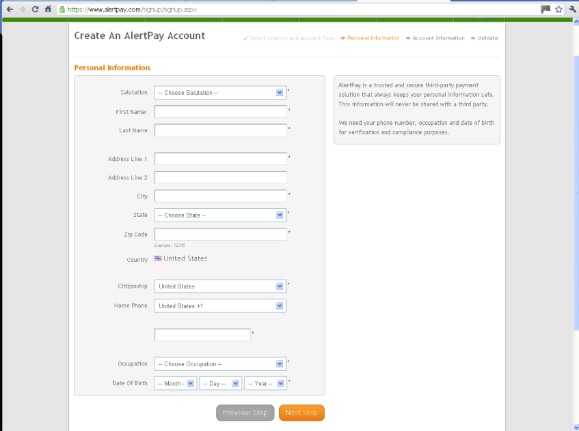
Enter all your personal information in the necessary places marked with a *
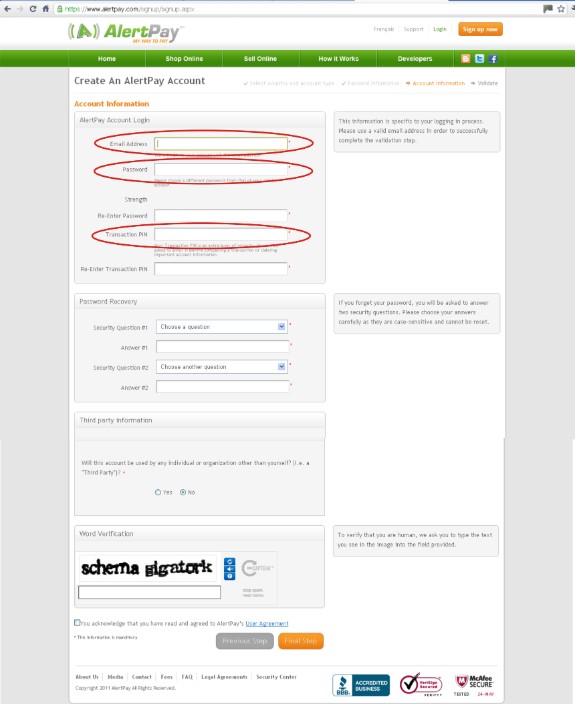
After clicking on Next Step your new page has some very important information that needs to be understood.
1. The email address you enter will be your login email address and this is the email address that people will pay to. Also, all correspondence from AlertPay will go to this address so it must be an active account that you use frequently.
2. You will be required to select a password. This is for logging in.
3. You will also be required to select a PIN. This you will be asked for when making any payments or changing any information on your profile.
KEEP ALL THIS INFORMATION IN A SAFE PLACE.
After entering the word verification at the bottom of the screen, remember to click that you accept the terms and conditions, and then click on final step.
Once you have created your account, you will have to add your Credit Card details.
Login to your account and click on "Profile" as shown below.
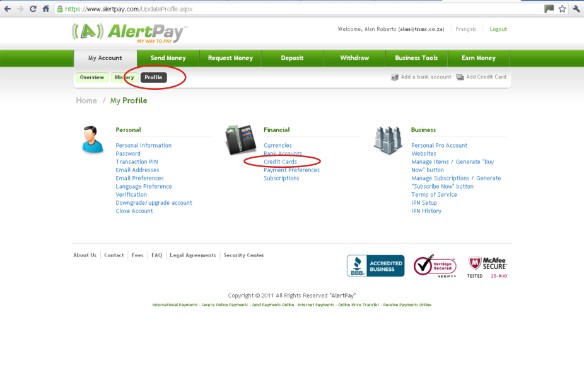
Enter your credit card details on the page as required.
Go back to your profile page and click on credit cards again. Here you will notice that the credit card details are there but they need to be verified. Click on verify and you will be told that a certain amount (between $1 and $2) will be charged to your account.
They want you to establish from your credit card company the exact amount they charged. This will have to be inserted in the box on the site when you go back to the verify card page as before.
However, you will still be able to spend a limited amount before you verify your card details so this will not hold you up in any way to get started.
Go to the "How It Works" page on this site for full details on buying your stock and how the marketing works.
